Module · part of every order
Planning
Build a construction programme, keep it up to date and report on it: critical-path scheduling in working days, baselines kept inside the file, and the programme files your client and the other parties work in.
- Part of every order
- Audits and Dashboard included
- Windows 10 or later
Everything here comes with Planning, including the Audits and Dashboard screens.
Build the logic
Critical-path scheduling with the links and constraints a construction programme needs.
- FS, SS, FF and SF links with lags, counted on the calendar you choose: the predecessor’s, the successor’s, the project’s or calendar days
- Double links: SS and FF between the same two activities
- Ten constraint types
- Paths to a milestone, to see what drives it
Set the calendars
Working calendars with public holidays for most countries, checked online for updates.
- The builders’ break
- The Western Cape building industry break
- The civil engineering shutdown
Baseline and update
Baselines live inside the programme file, so the update and the plan it is measured against travel together.
- One active baseline, with two more drawn under it
- Compare two versions of a programme
- Update from a P6, MS Project or Excel file
- A progress line and a change log
Resources and money
Load resources on the activities and read the effect on the same timescale as the bars.
- Resource histograms
- S-curves and cash flow
- Earned value
Check the programme
A quality score and a DCMA 14-point assessment before the programme goes out, written to PDF or Word.
- A dashboard that prints on A3 or A4
- SPI(t), BEI, CPLI and TSPI
Print and send
Print from A4 to A0, with print sets and annexures.
- Export to Excel
- A progress report drafted with AI (below)
Run the site week
Short-term planning from the same programme, so site and office plan from one set of dates.
- Look-ahead, constraint log, weekly plan and PPC
- An update sheet: an HTML page site staff fill in
- Procurement and information-required chains
Test the dates
Ask what the programme can stand before you commit to a date.
- Schedule risk (Monte Carlo)
- Acceleration studies
Work with others
Keep a job’s programmes together and share them without two people saving over each other.
- A programme manager with headings: Tender, Baseline, Updates, Recovery, Mini, Delay, As-built; bulk import
- Shared programmes with an edit lock
- Subcontractor programmes
- A reviewer pack: one HTML file, and the reviewer’s reply is read back in
- Group notes and group edits, colour schemes, row highlight
On screen
Gantt CSS on its built-in sample programme: a two-storey office building, with no client data.
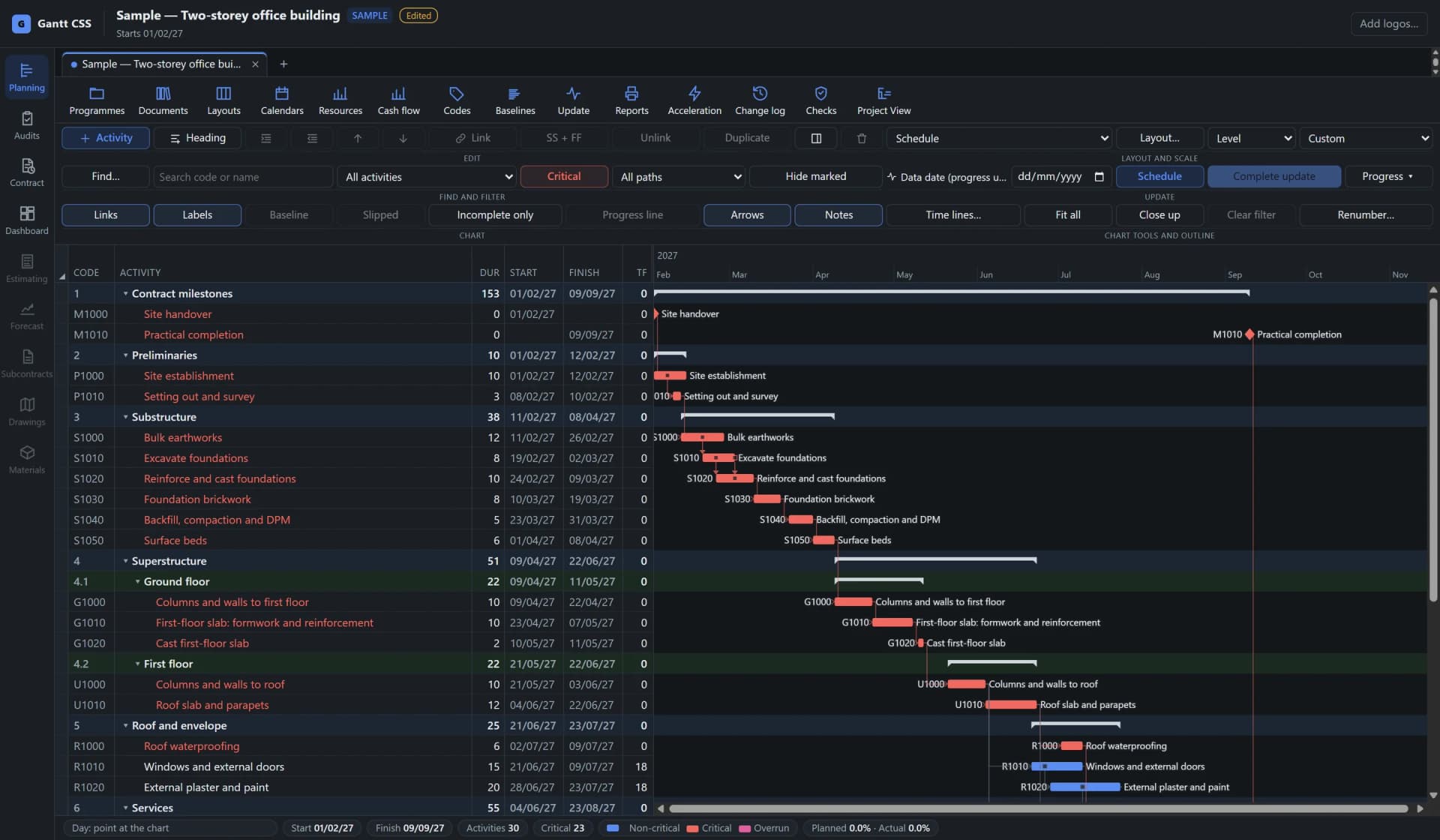
Grid and Gantt chart. Codes, durations, dates and total float beside the bars, with logic links and the critical path in red. 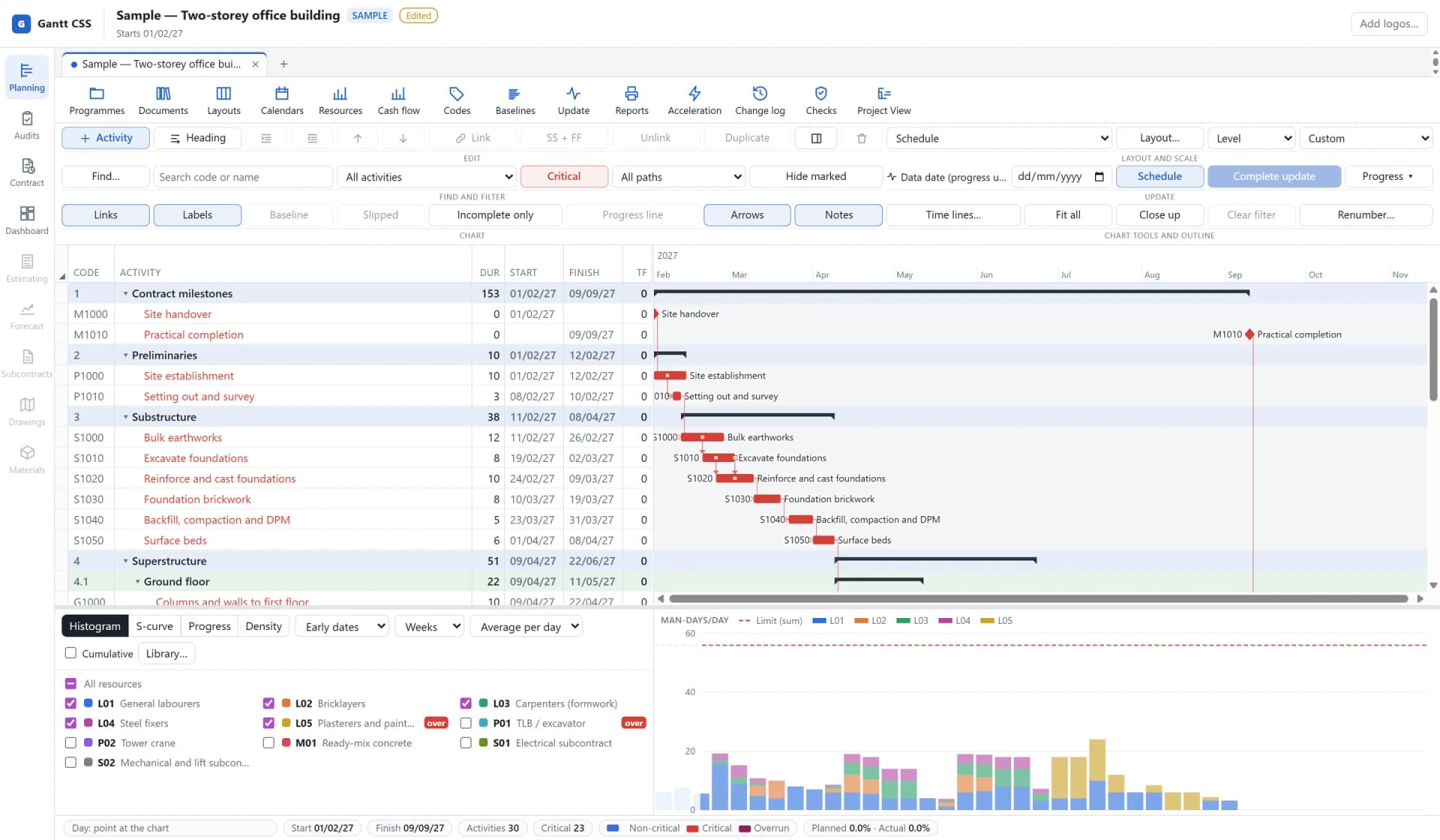
Resources under the programme. Labour stacked by trade on the same timescale as the bars, with the limit line and over-allocation marked. 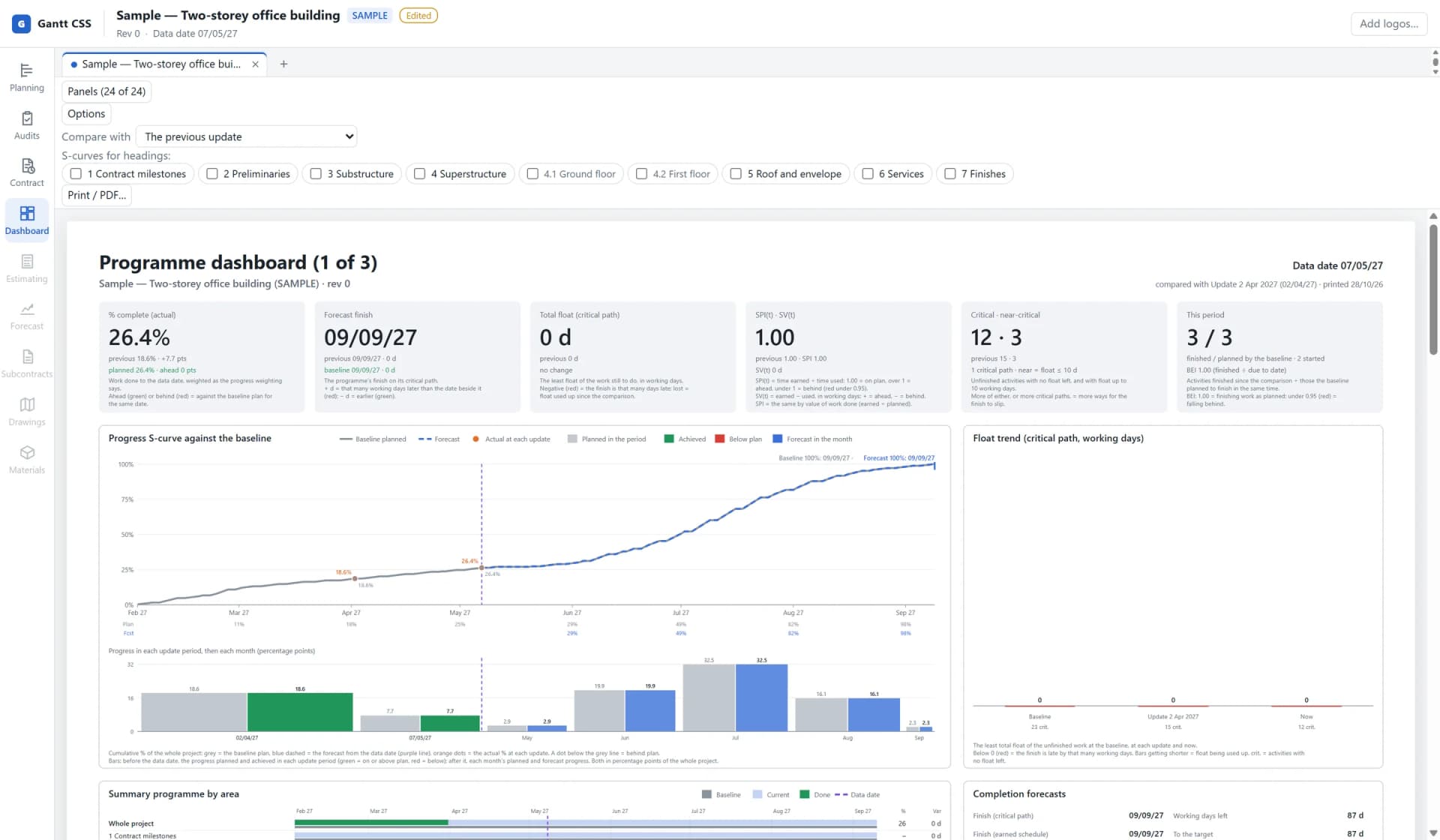
Programme dashboard. Per cent complete, forecast finish, float, SPI and the progress S-curve against the baseline at every update. 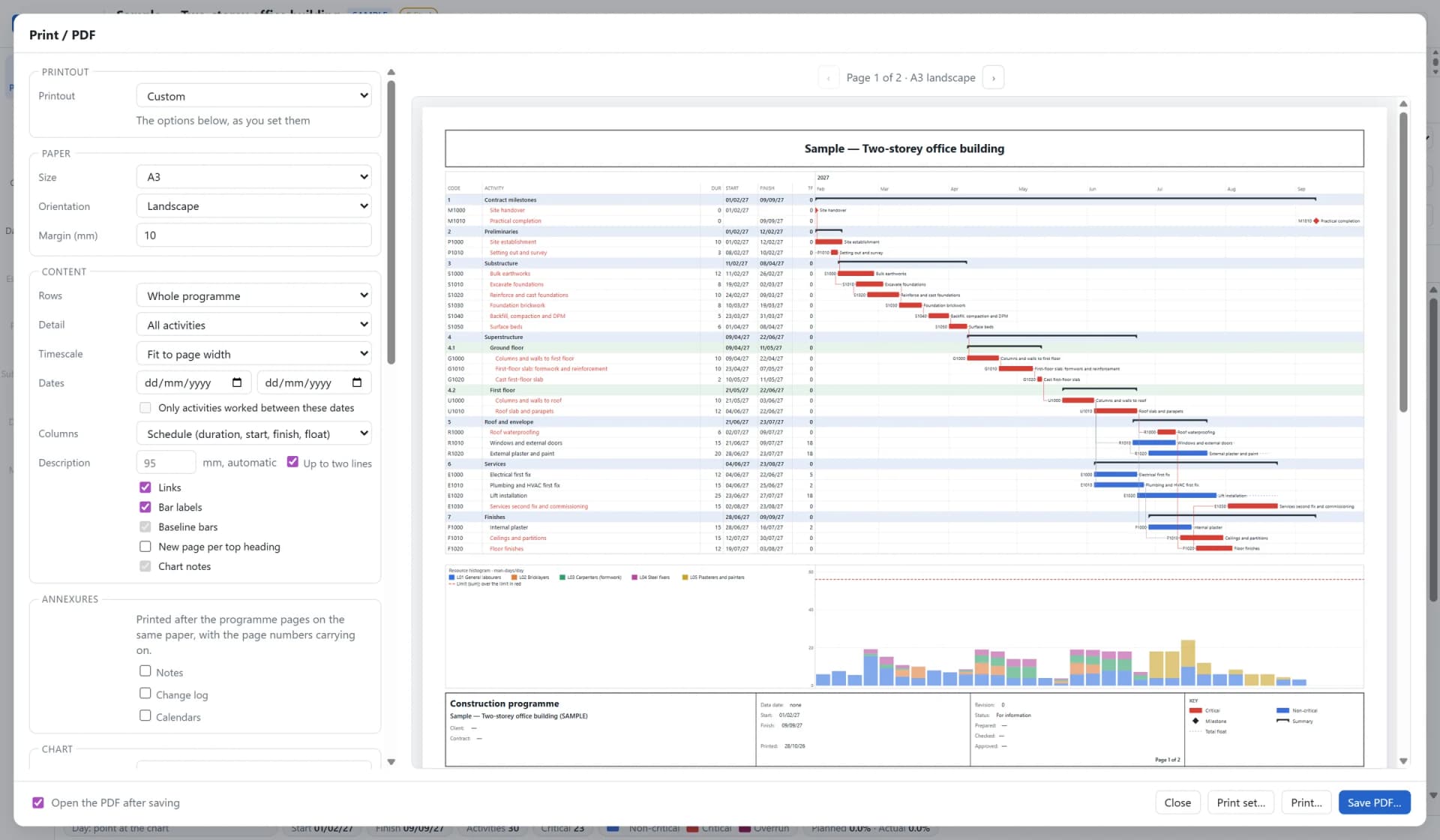
Print preview. An A3 landscape sheet with the histogram under the bars and the title block, ready for PDF or the printer.
Progress report
Gantt CSS drafts the progress report from the programme’s own figures, using your own key for the AI provider you choose. Every sentence has to cite its facts, and is checked against them.
| Providers | Claude, ChatGPT or Gemini, with your own API key. The key is stored encrypted on your PC. |
|---|---|
| Sections | Summary, progress, completion and slip, float and critical path, milestones, changes, site notes, look-ahead and information required, quality, resources, risk and cash flow. Cash flow is never written by AI. Delays, claims and weather need the Contract add-on. |
| Kept | Each report is kept in the programme as issued, and saved as PDF or Word. |
| Sent to the provider | The period (the baseline and update names and their data dates) and the instructions for each section. The facts: activity codes and names, headings, dates, float and progress figures, milestones, look-ahead, constraints, procurement, change-log reasons, and the kinds of note you choose, without their authors. With Contract: register numbers, titles, dates and weather days. |
| Never sent | The file, the programme’s name, costs, resources, user fields, code values, attachments and user details. |
| Your say | You agree, for each AI provider, before anything is sent the first time. |
Files
Open the programme you were sent, and send back the format that was asked for.
| Format | Reads | Writes |
|---|---|---|
| Primavera P6 XER | Yes | Yes |
| Primavera P6 XML | For bulk import, progress and baselines | No |
| Microsoft Project XML | Yes | Yes |
| Microsoft Project .mpp | Through Microsoft Project installed on the same PC | Through Microsoft Project installed on the same PC |
| Asta Powerproject .pp | Yes, from a copy of the file | Yes |
| Excel | Progress, or updates to an open programme (it cannot create one) | Export |
Before you buy
| Licence | Planning is part of every order. Contract, Estimating and Model are add-ons to it. |
|---|---|
| Sold | Per named user, per year. |
| PCs | Windows 10 or later. Gantt Planning issues a licence for each of up to two PCs per named user; to move one, choose Release licence in the app and ask us for a new one. |
See Gantt CSS on a programme like yours.
We will walk you through Gantt CSS on the sample programme or on a file of yours.